

I follow a significant amount of content creators — YouTubers, writers, the occasional blog. They all publish weekly. Keeping up is almost impossible, and each one has a massive back catalog. Finding the right piece at the right moment takes more time than reading it.
I decided to automate a reading assistant that helped me separate the signal from the noise (yep that’s where the name came from). I wanted to build something that knew my context and surfaces what I am actually interested in.
How I built it
Claude Code is the right tool for this kind of project. It runs in your terminal or Claude App, reads your files, writes and fixes code in context, and explains what it’s doing at each step. For a solo builder without a dev background, that combination matters.
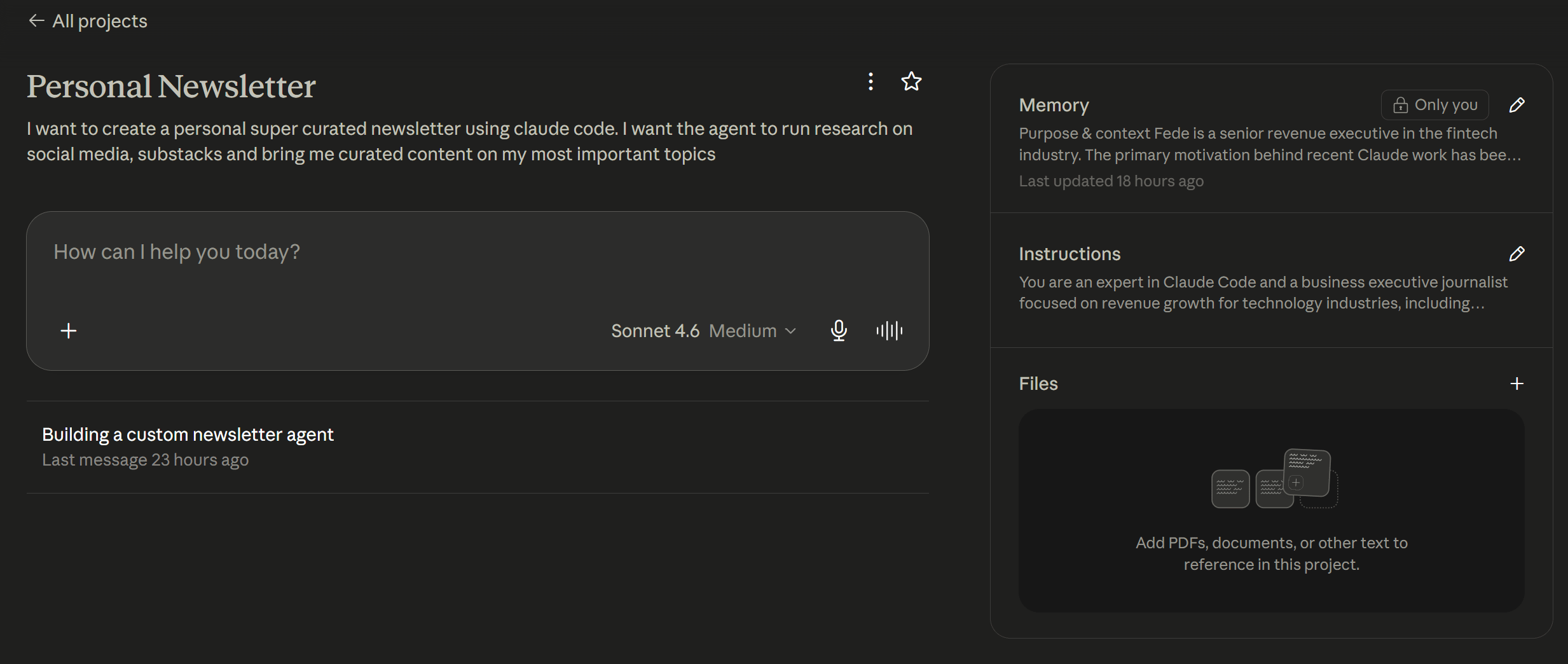
I didn’t start with a clear spec. I opened a Claude project first and provided the instructions in the image above. As you can see, it was not a big prompt or instruction: I just said that I wanted the agent to read my sources and deliver a summary. Afterwards, I added the capability to research specific topics on demand. Let’s be honest, I haven’t read everything in the back catalog either.
Two modes ended up making sense:
Digest mode: pulls the last seven days from the sources I follow and summarizes each one.
Research mode: user provides a topic, it searches and synthesizes a briefing.
The starting point was a single prompt in the chat within the project:
"You are an expert in Claude Code and a business executive journalist focused on revenue growth for technology industries. You think like WSJ meets McKinsey — data driven, strategic, zero fluff. Help me build an AI agent that writes my personal newsletter."
That was enough to get moving. Claude scaffolded the project, created the file structure, and started building. The direction got clearer as it went.
Before touching Claude Code, Claude Chat asked me a series of questions to sharpen the concept: what’s the focus, who’s the reader, how should it source content, what sections, what tone. That conversation turned a vague idea into a concrete brief.
From there, Claude Chat gave me the prompts to run in Claude Code — one at a time, in order. First: create a PLANNING.md describing the agent. That file became the project’s anchor. Claude Code reads it automatically and uses it to stay consistent across every step.
Each prompt built on the previous one, I was directing. And that is the beauty of AI: it can be your personal developer without much effort.
In summary, I instructed Claude Code to do five things:
Create a planning document to anchor every decision
Scaffold the full project structure
Write a system prompt filtering everything through revenue lens,
Build the two modes, digest and research
Fix a couple of HTML bugs that showed up during the first test run
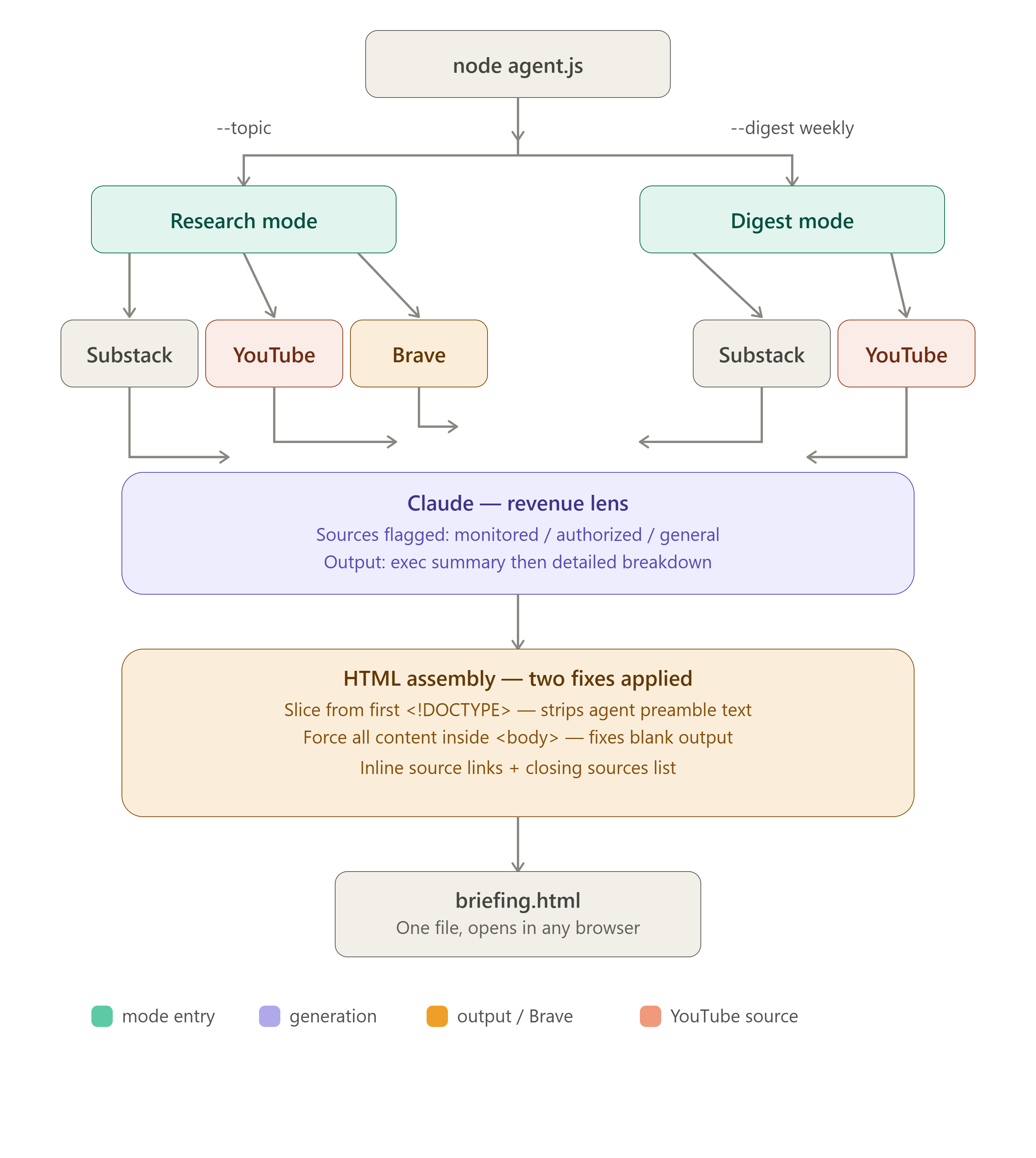
The result
The agent has two modes. Research mode takes a topic, runs live searches via Brave Search, plus the content I follow, and produces a structured briefing: executive summary first, then detail by section, sources linked throughout. Digest mode needs no input: it pulls the last seven days from the curated sources and summarizes each one with a personalized lens.
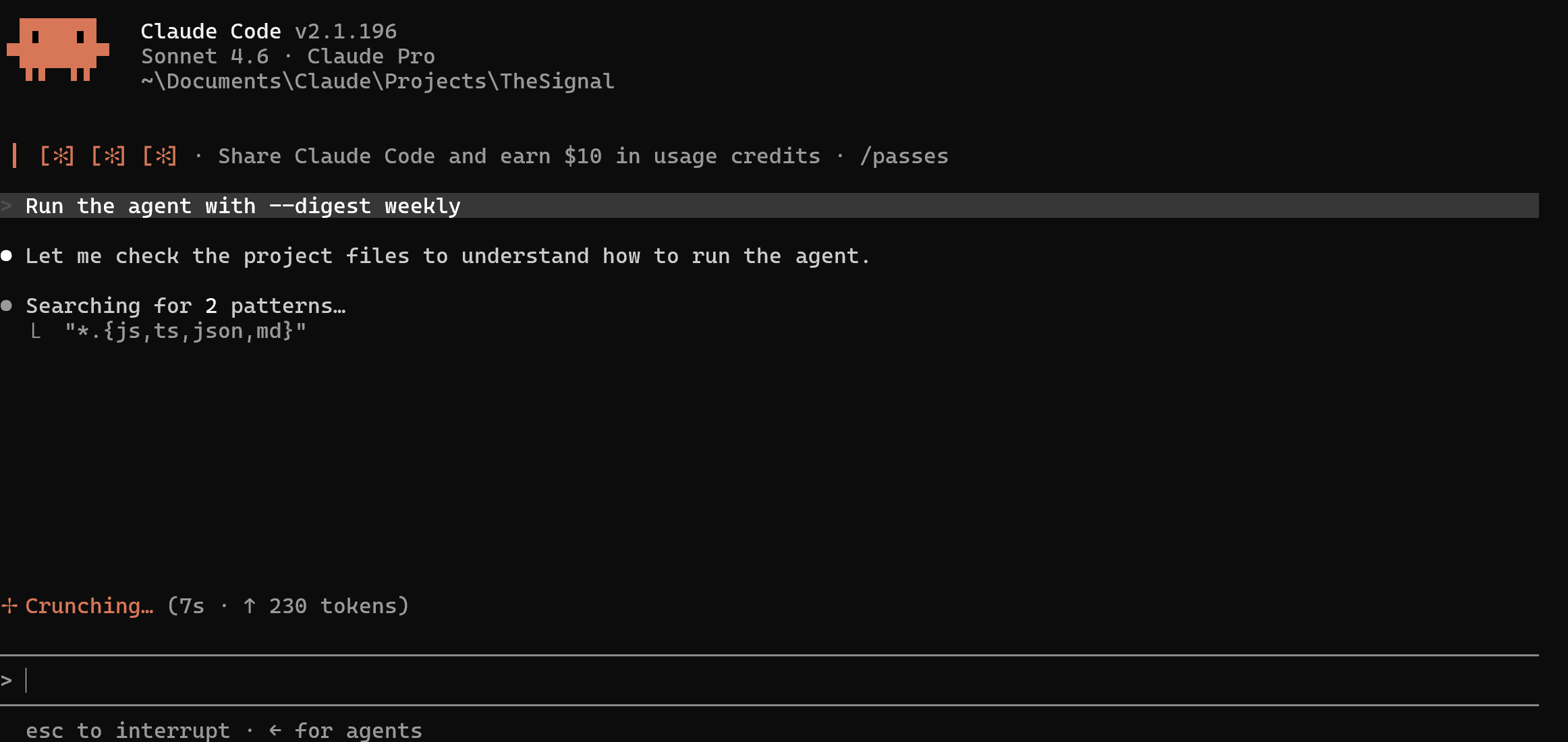
Here' is an example of the prompt to generate a digest:
Output is a clean HTML file. Opens in any browser. One command from the terminal:
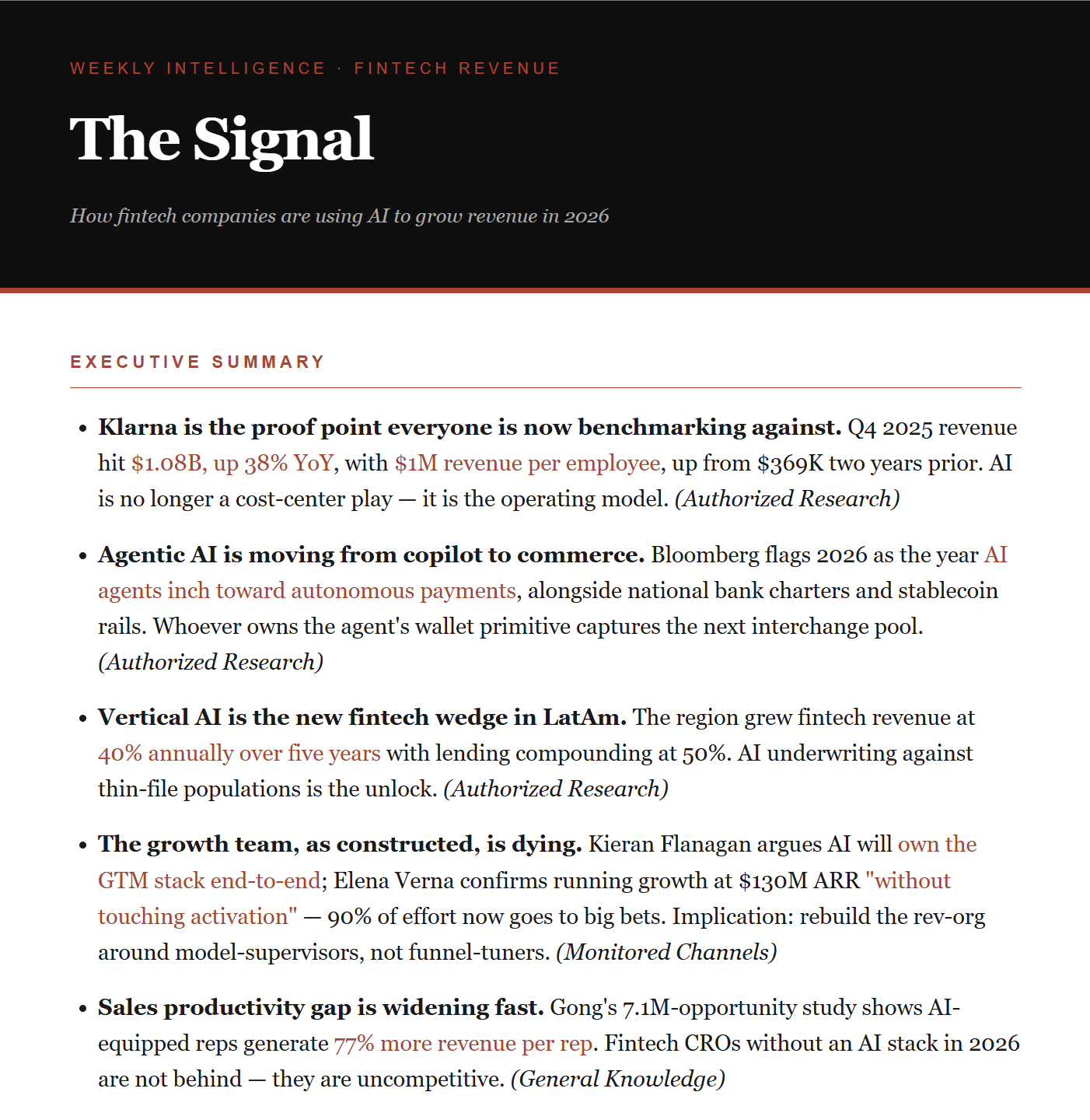
You can download a converted PDF with the button below:

How to replicate this
You need three things: Node.js, Claude Code, and an Anthropic API key. Brave Search has a free tier — 2,000 searches per month — enough for personal use.
Start with a Claude chat, not Claude Code. Describe what you want to build and let it ask you questions. That conversation becomes your brief. Once you know what you want, open Claude Code and give it that brief as the first prompt.
From there, let Claude Code build. Your job is to direct: tell it what to create, test the output, and describe what needs fixing. You don’t need to write code. Warning: make sure you ask Claude Code to securely leave your API keys in .env file, mostly if you push it to github.
The two things that matter most: write a planning document before any code, and be specific in your system prompt about the lens you want applied to everything. Generic instructions produce generic output.
It’s the end
The Signal is a personal newsletter assistant that helps me consume high value content. Two modes, multiple sources, one command. It reads, filters, and delivers. It’s shipped.